
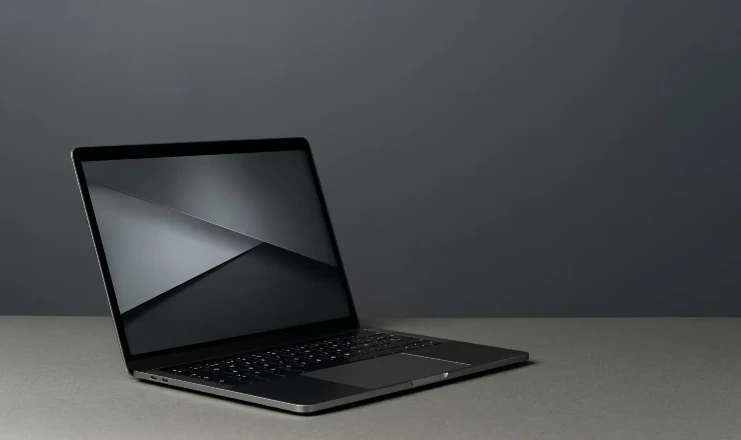
The best laptops for data science students are no longer standard, low-powered ultrabooks designed merely for basic text editing and web browsing. As modern university curriculums shift toward heavy local machine learning implementations, complex algorithmic matrix processing, and multi-threaded container deployments, your hardware choices dictate your workflow velocity. If your laptop lacks dedicated graphics optimization or runs out of system memory mid-execution, your local environment will freeze, crash, and completely disrupt your study routine.
Buying an underpowered laptop will leave you permanently bottlenecked—unable to test local neural networks, manage large data frames, or spin up local development environments safely.
To ensure your computer survives the rigorous demands of an engineering or analytics degree, this comprehensive hardware review breaks down the best laptops for data science students dominating the market this year. We break down the technical specifications—including dedicated graphic architectures, CPU core distributions, and unified memory pipelines—to help you find the ultimate balance between performance, battery life, and budget.
The Hardware Execution Pipeline: What Data Science Students Actually Need
Before picking a specific manufacturer, you must understand how local data science workloads stress your system hardware. Different analytics tasks rely on entirely different internal chips.
When you are performing Exploratory Data Analysis (EDA) or data wrangling with tools like Pandas, your computer relies heavily on multi-core CPU speeds and available system memory (RAM). However, the moment you transition to deep learning, neural network optimizations, or complex computer vision, traditional CPUs hit a wall. For those tasks, you need a highly parallelized graphics processing unit (GPU) that supports specialized execution libraries like NVIDIA’s CUDA, allowing matrix calculations to process simultaneously across thousands of tiny hardware cores.
1. Apple MacBook Pro 16″ (M5 Pro): The Best Laptops for Data Science Students Overall
If you prioritize exceptional build quality, whisper-quiet operation, and a battery that easily survives a full day of campus lectures without a charger, Apple’s hardware leads the industry.
Core Architecture Specs:
- Processor Platform: Apple M5 Pro (18-Core CPU / 20-Core GPU)
- Memory Base Configuration: 24GB Unified Memory (Configurable to 48GB)
- Storage Speed Layer: 1TB NVMe Flash Storage
Apple’s Unified Memory Architecture (UMA) is a complete game-changer for handling large datasets. Because the CPU and GPU share the exact same high-speed memory pool, you can load massive data arrays into memory without facing the structural latency drop of transferring data over a traditional PCIe bus. Furthermore, macOS handles Unix-based terminal configurations natively, making it a dream environment for running complex scripts. The only major caveat is the lack of native hardware CUDA support, meaning you will rely on Apple’s specialized MLX framework for local training runs.
2. ASUS ROG Strix G16 (RTX 5060): High-Performance CUDA Training on a Budget
For engineering students who need absolute compliance with industry-standard deep learning libraries without spending a massive fortune, the ASUS ROG Strix G16 is an unmatched performance value.
Core Architecture Specs:
- Processor Platform: Intel Core i7-14650HX (16 Cores / 24 Threads)
- Memory Base Configuration: 16GB DDR5 (Highly recommended to upgrade to 32GB or 64GB)
- Storage Speed Layer: 1TB NVMe Gen4 SSD
- Graphics Unit: NVIDIA GeForce RTX 5060 (8GB GDDR7 VRAM)
This machine is built for raw, uncompromised computational power. Equipped with a next-generation NVIDIA RTX 5060 GPU built on the advanced Blackwell architecture, this laptop handles PyTorch and TensorFlow CUDA training loops natively at blistering speeds. It features an incredibly robust cooling configuration designed to sustain max GPU output during long training sessions without thermal throttling. While it is heavier than an ultraportable and demands a power brick for peak efficiency, its raw computational return per dollar is exceptional.
3. Dell XPS 16 (9640): Premium Windows Workstation Elegance
If you want the premium aluminum aesthetics and beautiful screen real estate of a MacBook but require a Windows or Linux ecosystem with a dedicated graphics card, the Dell XPS 16 is an elite choice.
Core Architecture Specs:
- Processor Platform: Intel Core Ultra 9 285H (16 Cores / 50 TOPS NPU)
- Memory Base Configuration: 32GB LPDDR5X RAM
- Storage Speed Layer: 1TB NVMe SSD
- Graphics Unit: NVIDIA GeForce RTX 5060 / 5070 Series
The Dell XPS 16 seamlessly balances data muscle with executive style. Featuring a gorgeous 4K OLED touchscreen display, it is the absolute perfect machine for students who spend a significant amount of time building data visualizations, tracking dashboards, and presenting findings to clients. The built-in neural processing unit (NPU) delivers 50 TOPS of efficiency, cleanly offloading local background AI assistant threads so your main processor remains fully available to crunch numbers.
4. Lenovo ThinkPad P16s Gen 3: The Linux-Friendly Enterprise Tank
Data scientists who work extensively with Docker containers, virtual machine sandboxes, or plan to wipe Windows to install a clean Ubuntu Linux distribution will find their perfect home in the ThinkPad series.
Core Architecture Specs:
- Processor Platform: Intel Core Ultra 9 (High-Yield Multithreading)
- Memory Base Configuration: Up to 96GB DDR5 RAM
- Storage Speed Layer: 2TB NVMe SSD
- Durability Layer: MIL-STD-810H Military Grade Chassis
ThinkPads are the gold standard of enterprise computing for a reason. The P16s Gen 3 can be configured with up to a massive 96GB of DDR5 RAM, allowing you to host local databases, run multiple heavy microservice containers simultaneously, and execute advanced processing tasks without ever hitting a memory ceiling. Its legendary tactile keyboard makes long, multi-hour coding sessions incredibly comfortable, and its robust Linux hardware driver compatibility ensures an entirely friction-free setup.
5. ASUS TUF Gaming F16: The Ultimate Entry-Level Budget Value
If you are an undergraduate student just starting your analytics journey and need a dependable machine that handles introductory programming classes without wiping out your savings, the TUF Gaming F16 is highly recommended.
Core Architecture Specs:
- Processor Platform: Intel Core i7-14650HX (16 Cores)
- Memory Base Configuration: 32GB DDR5 RAM
- Storage Speed Layer: 1TB NVMe SSD
- Graphics Unit: NVIDIA GeForce RTX 5070 (8GB VRAM)
The TUF F16 cuts out expensive luxuries like glass trackpads or ultra-thin profiles to deliver raw, heavy-duty engineering specifications at a rock-bottom price point. It ships with a generous 32GB of DDR5 RAM out of the box, ensuring that you can easily manipulate data frames and run concurrent local testing scripts without experiencing performance lag. It is a rugged, highly dependable workhorse for budget-conscious students.
Technical Comparison Matrix: 2026 Data Science Laptops
To quickly evaluate which mobile architecture maps to your specific academic requirements across the best laptops for data science students, use this operational reference chart:
| Laptop Model | Primary Operating System | Maximum Memory Capacity | Deep Learning Ecosystem Sweet Spot | Battery Life Profile |
| MacBook Pro 16″ | macOS (Unix Core) | 48GB / 128GB Unified | Local inference & MLX Transformers | Elite (14–18 Hours) |
| ASUS ROG Strix G16 | Windows / Linux | 64GB DDR5 (Upgradeable) | Native CUDA PyTorch loops | Moderate (3–5 Hours) |
| Dell XPS 16 | Windows 11 Pro | 32GB / 64GB Onboard | Data visualizations & cloud pipelines | Strong (5–7 Hours) |
| ThinkPad P16s Gen 3 | Windows / Linux Native | 96GB DDR5 Max | Heavy Docker containers & Linux dev | Strong (5–7 Hours) |
| ASUS TUF Gaming F16 | Windows 11 Home | 64GB DDR5 (Upgradeable) | Entry-level machine learning models | Moderate (4–6 Hours) |
When configuring your local environment on any of these systems, you will inevitably spend significant time isolating code parameters and filtering input text files. For a comprehensive architectural look at cleaning up messy input string structures before piping them into your model data arrays, make sure to read our hands-on Text Processing in Python workflow guide.
If you find yourself wrestling with complex string filtering rules or need to clean up custom training logs, you can easily combine your processing scripts with our expert structural deep dive on the Python Regex Tutorial page to build resilient parsing rules that won’t lag your local machine.
To stay updated on how international hardware testing groups and computer engineering federations benchmark processing cores and GPU thermal efficiencies under intensive data analysis operations, you can track the live reports published directly on the Official IEEE Computer Society platform to see how processing architectures are advancing this year.
For a complete visual walkthrough of how hardware configurations behave under real analytics stresses, check out The Best Laptops for Data Science: Don’t Make This Mistake. This breakdown details the real-world performance differences between dedicated GPUs and unified memory options when executing code arrays inside Jupyter notebooks and TensorFlow environments, helping you choose your machine safely without the tech marketing hype.
No responses yet