
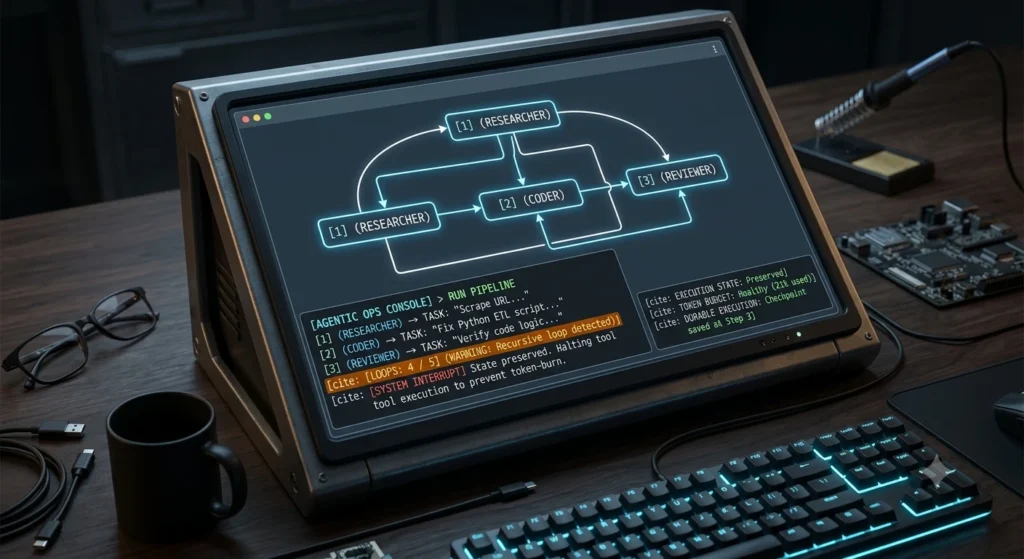
Every backend engineer building with autonomous AI agent frameworks hits the same wall eventually: the demo looks flawless. CrewAI, AutoGen (now AG2), or the Claude Agent SDK spin up a couple of cooperating agents, they hand tasks back and forth, and the terminal output looks like magic. Then it ships to production, a tool call returns an ambiguous result, an agent decides to “double-check” its own work, and forty minutes later you’re staring at an API bill that just ate your weekly budget on a recursive loop that never had a reason to stop.
This isn’t a prompting problem. It’s an architecture problem. Most prototyping frameworks default to a stateless ReAct loop — Reason, Act, Observe, repeat — with no durable memory of how many times this loop has already run, and no hard boundary telling the agent “this conversation is over.” The agent doesn’t know it’s stuck. It just keeps reasoning, forever, one token at a time, because nothing in its execution model says otherwise.
Stateless ReAct vs. Stateful Graph Orchestration
The classic ReAct pattern treats each agent turn as an isolated inference call: prompt in, reasoning trace out, tool call maybe, repeat. The “state” is really just whatever fits in the context window. There’s no first-class concept of where you are in a larger process — no step counter, no checkpoint, no way to pause and resume without replaying the whole trace.
A multi-agent framework built on graph-based orchestration — LangGraph 1.0 and Microsoft’s Agent Framework both take this approach — inverts that model. Instead of a single unbounded loop, the agent’s behavior is defined as nodes and edges in an explicit state graph. Every transition between nodes is a discrete, inspectable event. This buys you three things a bare ReAct loop can’t give you:
Durable execution. Because the graph’s state is persisted (usually to a database or a checkpoint store) after every node transition, a crash, a deploy, or a five-minute pause for human review doesn’t lose progress. The process resumes exactly where it left off, rather than restarting the reasoning trace from scratch.
Step-level checkpointing. Every node execution is a checkpoint. This means you can inspect, replay, or roll back to any specific step in the agent’s history — invaluable when a Coder Agent produces broken output and you need to know exactly which upstream decision caused it, rather than re-deriving the whole session from logs.
interrupt() hooks. Rather than an agent looping silently until a token budget or timeout kills it from the outside, a well-designed graph exposes explicit interrupt points — places where the framework can pause execution, hand control back to a human or a supervisor process, and resume later with new input. This is what makes human-in-the-loop review actually practical instead of theoretical.
None of this is exotic. It’s the same lesson distributed systems learned decades ago: unbounded retry loops without backoff, circuit breakers, or hard caps are a production incident waiting to happen. Agent orchestration is just distributed systems design wearing a new coat.
The Fix: A Hard Execution Loop Boundary
The most direct fix — and the one you should ship before anything fancier — is a hard, non-negotiable loop counter baked into the graph’s state itself, not into a prompt instruction the model can ignore. Here’s a minimal, production-shaped pattern:
from typing import TypedDict, Literal
from langgraph.graph import StateGraph, END

class AgentState(TypedDict):
    task: str
    loop_count: int
    max_loops: int
    result: str | None

def researcher_node(state: AgentState) -> AgentState:
    state["loop_count"] += 1
    # ... actual research/tool-call logic here ...
    state["result"] = f"partial findings at step {state['loop_count']}"
    return state

def coder_node(state: AgentState) -> AgentState:
    state["loop_count"] += 1
    # ... actual code-generation logic here ...
    return state

def route_next_step(state: AgentState) -> Literal["researcher", "coder", "__end__"]:
    if state["loop_count"] >= state["max_loops"]:
        # Hard boundary: this check lives in the graph, not the prompt.
        return "__end__"
    return "coder" if state["loop_count"] % 2 == 0 else "researcher"

graph = StateGraph(AgentState)
graph.add_node("researcher", researcher_node)
graph.add_node("coder", coder_node)
graph.set_entry_point("researcher")
graph.add_conditional_edges("researcher", route_next_step, {
    "coder": "coder", "__end__": END
})
graph.add_conditional_edges("coder", route_next_step, {
    "researcher": "researcher", "__end__": END
})

app = graph.compile()
The key detail: route_next_step checks loop_count against max_loops as a structural part of the graph’s routing logic, not as a suggestion in a system prompt. A model can talk itself into ignoring an instruction. It cannot route around a conditional edge that isn’t there.
Try It: Multi-Agent Loop Interceptor Simulator
Below is a live sandbox simulating exactly this failure mode — set a loop budget, run the pipeline, and watch a Researcher Agent and Coder Agent hand off tasks until either the budget halts them or, if you set it to infinite, the console starts flagging the runaway loop itself.
Multi-Agent Loop Interceptor Simulator
Set a loop budget, then watch the Researcher and Coder agents hand off tasks until the boundary fires.
Where to Go Next
If you want to test whether you’d actually catch a bug like this in review rather than in production, run it against our Interactive Python Code Review Quiz — it’s built around exactly this class of subtle, structural bug.
Unbounded autonomy isn’t a feature. It’s a missing boundary. Put the boundary in the graph, not the prompt.
No responses yet