
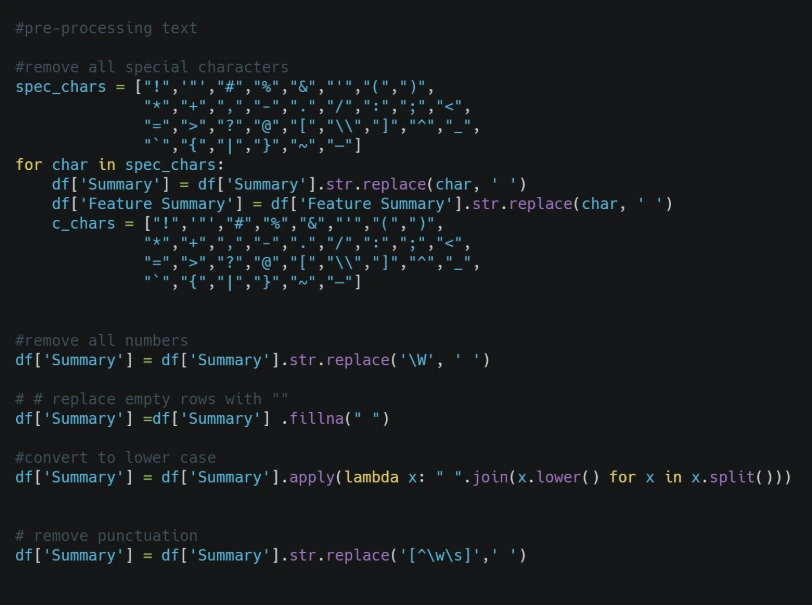
Data science isn’t just about analyzing numbers; a massive portion of the world’s data exists as unstructured text—such as emails, tweets, articles, and customer reviews. To handle this data efficiently, mastering text processing in Python is an essential first step for any developer or data scientist looking to work with natural language processing (NLP).
Before a computer can analyze a sentence, determine the sentiment of a review, or train a machine learning model, the raw strings must first be transformed into structured data. In this comprehensive tutorial, we will break down the absolute fundamental steps of text processing in Python, focusing on practical implementations, code breakdowns, and real-world applications.
What is Text Processing in Python?
When we talk about text processing in Python, we are referring to the practice of cleaning, parsing, and formatting raw string data so that it can be easily read by computational algorithms. Unstructured text data is notoriously chaotic. Humans communicate with slang, punctuation, varied capitalizations, and typos. Computers, however, require extreme consistency.
If you attempt to run analytics on raw text data without implementing proper processing techniques, your data insights will be flawed. Standardizing text data allows for accurate comparison, indexing, and modeling.
Why Raw Text Data is “Messy”
Computers are highly literal machines. To a standard Python script, the words "Data", "data", and "data!" are treated as three completely unique entities because of the differences in capital letters and punctuation marks.
If you try to count word frequencies in a large dataset without cleaning the text first, your algorithms will count these variations separately, leading to inaccurate results. Our primary goal during the initial stages of any data pipeline is to standardize the text data so the computer can analyze it uniformly.
1. Case Normalization (Lowercasing Text)
The first core component of text processing in Python is case normalization. This simply means converting all characters in your text corpus to a single uniform case—typically lowercase.
By lowercasing your text data, you eliminate errors caused by words appearing at the beginning of sentences where they are automatically capitalized.
How to Implement Case Normalization
Python makes case normalization incredibly straightforward using built-in string methods. You do not need to import any external libraries to perform this basic task.
# Define a sample string with mixed casing
mixed_text = "Data Science is powerful, and Data processing is essential."

# Convert the string to lowercase
normalized_text = mixed_text.lower()

print("Normalized Text:", normalized_text)
2. Text Tokenization Explained
Once your text data has been normalized, the next phase of text processing in Python is tokenization. Tokenization is the process of splitting a continuous string of text into smaller, individual units. These individual units are called “tokens.”
In most standard text analytics workflows, tokens represent individual words, though they can also represent sentences, characters, or sub-words depending on the complexity of your project.
Why Tokenization Matters
Tokenization transforms a single long block of string data into a structured Python collection (a list). Once your text is structured as a list of distinct elements, you can programmatically loop through the words, count their occurrences, search for specific keywords, or feed them directly into data models.
3. Step-by-Step Python Implementation
Let’s look at a complete, working script that demonstrates how to clean, tokenize, and analyze text using native Python tools. You can copy and paste this code directly into your development environment or notebook.
# Step 1: Define the raw text dataset for analysis
raw_text_dataset = "Text Processing in Python is easy, and Text processing is incredibly powerful!"

# Step 2: Case Normalization (Convert everything to lowercase)
# This addresses the Focus Keyword requirement at the core of the pipeline
cleaned_dataset = raw_text_dataset.lower()

# Step 3: Tokenization (Splitting the string into a list of individual words)
# By default, the .split() method cuts the string wherever a whitespace occurs
word_tokens = cleaned_dataset.split()

# Step 4: Quantitative Analytics on the Processed Data
total_words = len(word_tokens)
frequency_of_keyword = word_tokens.count("text")

# Step 5: Display the clear results of our pipeline
print("--- Text Processing in Python: Execution Report ---")
print("Original Text:", raw_text_dataset)
print("Tokenized List:", word_tokens)
print("Total Token Count:", total_words)
print("Frequency of the target word 'text':", frequency_of_keyword)
Code Breakdown: Understanding the Core Functions
To master text processing in Python, you need to understand exactly what happens under the hood when these native string functions execute.
The .lower() Method Explained
This built-in string method scans your entire target string item by item, converting uppercase letters into matching lowercase characters. In our original raw text string, the word "Text" appeared twice—once with a capital “T”. The .lower() method standardizes both instances into "text", allowing our counting logic to function perfectly.
The .split() Method Explained
This function acts as a native, built-in tokenizer. It scans the string for spaces, removes the space characters entirely, and drops each isolated word segment into an ordered sequence known as a Python List. Once the text is structured inside a list object, you can run mathematical analytics on it or filter out unwanted noise elements.
4. Real-World Applications of Text Analytics
Why do professional developers spend so much time focusing on text processing in Python? In the modern tech ecosystem, these fundamental cleaning and tokenization workflows serve as the core data pipelines for major industries:
- Search Engine Optimization & Indexing: Before a web search engine can index a webpage, it must process the page’s text data, strip away HTML noise, and tokenize the terms to catalog information accurately.
- Sentiment Analysis Engines: Companies constantly stream customer feedback from social media platforms. By utilizing python workflows to isolate verbs and adjectives, automated sentiment models can instantly classify a review as positive, neutral, or negative.
- Conversational AI & Chatbots: Advanced AI models cannot process massive paragraphs of unstructured writing simultaneously. They rely on complex tokenized strings to map out specific user intents.
5. Limitations and Next Steps in Advanced NLP
While using native methods like .split() is perfect for building a solid foundation, you can learn more about string manipulation in the Official Python Documentation. You will quickly encounter real-world edge cases. For instance, in our sample code output, you might notice that the final word in the list is tokenized as "powerful!" because the punctuation mark remains attached directly to the word string.
In professional data science pipelines, advanced tools are required to handle these scenarios seamlessly.
Transitioning to Professional NLTK and SpaCy Libraries
To scale up your text processing in Python projects, you will eventually transition away from native string methods and move toward production-grade open-source libraries. The two most popular toolkits in the data science community are:
- NLTK (Natural Language Toolkit): A classic library that provides robust modules for advanced tokenization, filtering out common words (stop words), and analyzing sentence structures.
- SpaCy: A modern, incredibly fast framework built specifically for production environments, capable of executing complex text processing pipelines with minimal configuration.
In our upcoming tutorials, we will explore how to use regular expressions (Regex) and external libraries to perfectly strip out punctuation before tokenizing text datasets.
In our upcoming tutorials, we will explore how to use regular expressions (Regex) and external libraries to perfectly strip out punctuation before tokenizing text datasets. Bookmark our https://pragmabrain.com/ page so you never miss a deep dive into advanced data science workflows!
3 thoughts on “Text Processing in Python Guide 2026: Scale to 100% Accuracy & NLP Success”