
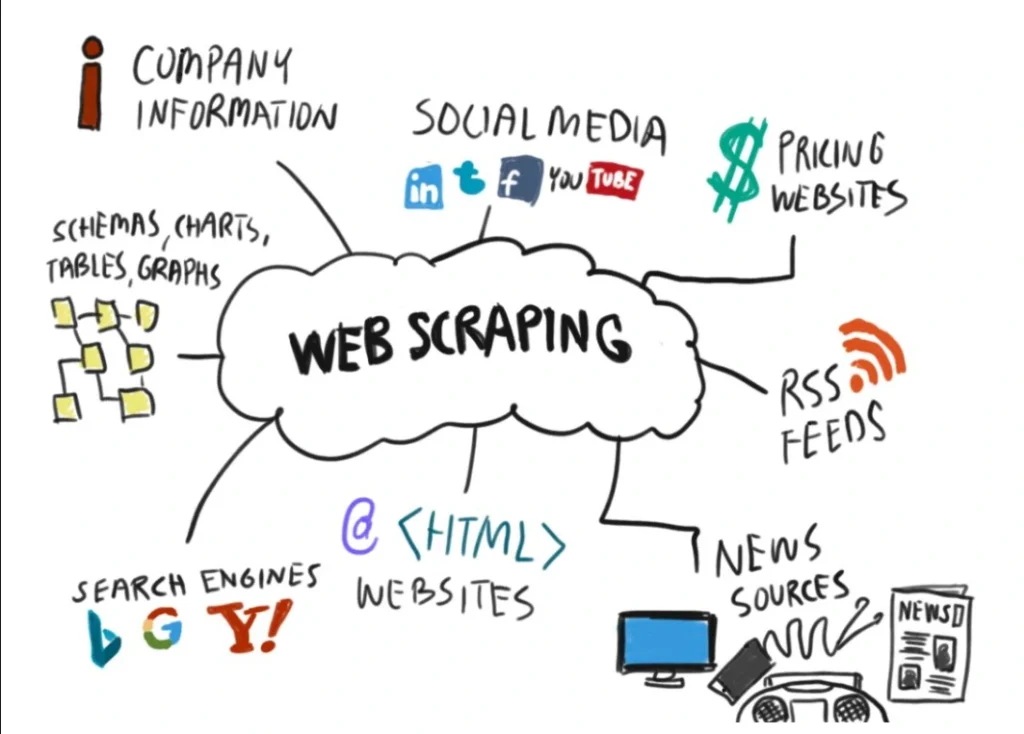
In our previous deep dives into text processing and image OCR, we focused heavily on cleaning and extracting data that you already own. But what happens when the unstructured text data you need is out on the live web? Manual copy-pasting is a bottleneck that destroys productivity.
If you want to harvest massive datasets for market research, NLP modeling, or content aggregation, mastering web scraping with python is an essential developer skill.
This comprehensive guide will walk you through the legalities of web scraping, how to map out HTML structures, and how to build a resilient data extraction pipeline using Python’s requests and BeautifulSoup libraries.
The Core Architecture of a Web Scraper
Before writing code, it helps to understand the digital handshake that happens when Python interacts with a live server. A web scraper essentially automates the exact behavior of a human web browser:
- The Request: Your Python script sends an HTTP request (like a GET request) to a target website’s URL.
- The Response: The website’s server receives the request, approves it, and sends back the raw HTML code of the page.
- The Parse: A library like BeautifulSoup processes the raw HTML string, turning it into a searchable tree structure.
- The Extract: Your script filters through the tree tags (
<div>,<h1>,<p>) to pull out the exact text or links you need.
Step 1: Setting Up Your Scraping Environment
To build our scraper, we will use two highly reliable, industry-standard packages: requests (to handle HTTP communication) and beautifulsoup4 (to parse the HTML layout). If you ever need to look up advanced tag filtering configurations, the official BeautifulSoup Documentation is an excellent resource to keep bookmarked.
Open your terminal or command prompt and run the following setup command:
pip install requests beautifulsoup4 lxml- Requests: The standard library for making clean, reliable HTTP calls without complex configurations.
- BeautifulSoup4: The parsing framework that lets us navigate HTML elements using Pythonic syntax.
- LXML: A high-performance HTML/XML parser plug-in that works underneath BeautifulSoup to speed up data processing.
Step 2: Respecting the Web (The Legalities and robots.txt)
Before scraping any website, you must check its rules. Ethical scraping keeps your IP address from getting blocked and ensures you stay compliant with web standards.
Every website has a hidden file at its root domain called robots.txt (e.g., https://example.com/robots.txt). This file outlines which sections of the site automated bots are allowed or forbidden to crawl.
Three Rules for Ethical Scraping:
- Check the Allow/Disallow Rules: Always read the target site’s
robots.txt. - Add a User-Agent Header: By default, Python’s request library identifies itself as
python-requests. Some servers block this immediately to prevent spam. Adding a custom User-Agent header makes your script look like a standard Google Chrome browser. - Rate Limiting: Never flood a server with thousands of requests per second. Use Python’s
time.sleep()module to space out your data collection naturally.
Step 3: Writing the Core Python Scraping Script
Let’s write a functional Python script that targets a safe, public sandbox site (quotes.toscrape.com) to extract quotes, authors, and descriptive tags.
import time
import requests
from bs4 import BeautifulSoup

def execute_web_scraping_workflow():
    """
    Performs an automated web scraping workflow to extract unstructured text data.
    """
    target_url = "https://quotes.toscrape.com/"

    # Define custom headers to mimic a legitimate desktop browser session
    custom_headers = {
        "User-Agent": "Mozilla/5.0 (Windows NT 10.0; Win64; x64) AppleWebKit/537.36 (KHTML, like Gecko) Chrome/120.0.0.0 Safari/537.36"
    }

    try:
        print(f"[Initiating Request] Fetching data from: {target_url}")
        # Send the HTTP GET request to the target server
        response = requests.get(target_url, headers=custom_headers, timeout=10)

        # Verify if the request was successful (HTTP Status Code 200)
        if response.status_code != 200:
            print(f"[Error] Failed to connect. Status Code: {response.status_code}")
            return

        # Parse the raw HTML text using BeautifulSoup and the lxml parser engine
        soup = BeautifulSoup(response.text, 'lxml')

        # Isolate all quote containers on the page
        # In the site's HTML, each quote block is wrapped in a <div class="quote">
        quote_blocks = soup.find_all('div', class_='quote')

        print(f"[Extraction Metrics] Identified {len(quote_blocks)} data nodes.\n")

        # Loop through each block to extract text, authors, and meta tags
        for idx, block in enumerate(quote_blocks, start=1):
            # Extract the raw text string inside the span tag with class="text"
            quote_text = block.find('span', class_='text').text.strip()

            # Extract the author name inside the small tag with class="author"
            author_name = block.find('small', class_='author').text.strip()

            print(f"{idx}. {quote_text}")
            print(f"   — Written by: {author_name}\n")

            # Politeness delay: Pause for half a second between processing cycles if scraping multiple pages
            time.sleep(0.5)

    except Exception as e:
        print(f"[Critical Exception] An unexpected error occurred: {str(e)}")

if __name__ == "__main__":
    execute_web_scraping_workflow()
Step 4: Navigating Advanced HTML Document Trees
In a perfect sandbox site, elements have beautifully descriptive classes like class="quote". In the real world, web developers write messy, deeply nested HTML markup.
To achieve advanced web scraping with python, you must know how to traverse up, down, and across the DOM (Document Object Model) tree.
Common BeautifulSoup Navigation Methods:
soup.find(): Returns the very first occurrence of a specific tag matching your criteria. Perfect for page titles or unique landing components.soup.find_all(): Returns a Python list containing every matching element on the page. Ideal for scraping grids, tables, or item lists..find_parent()/.find_next_sibling(): Allows you to jump to related HTML nodes when a target text block doesn’t have its own unique ID or class.element['href']: Extracts attribute values (like hyperlinks or image source URLs) rather than the visible text inside the tags.
Step 5: Connecting Web Scraping to Your Text Processing Pipeline
Once your scraper extracts raw text data from a website, the job is only half done. Web data is incredibly dirty—it often contains unwanted HTML residues, structural tracking tags, or messy punctuation artifacts.
This is where your broader architectural framework ties together beautifully. Once BeautifulSoup hands you your raw strings, you can channel them directly into the patterns we mapped out in our 5 Ultimate Steps to Text Processing in Python: A Complete Beginner’s Guide – Code & Prose. By running regex strips and case normalization right after the scraping step, your final dataset will be completely optimized for downstream analysis or publication.
8 Responses
[…] example, when building an automated data engine—like the system mapped out in our comprehensive The Ultimate Guide to Web Scraping with Python in 2026: A Beginner’s BeautifulSoup Tutorial –… —BeautifulSoup handles the structural navigation of the HTML tree, but the text it returns is […]
[…] unstructured text from web architectures—using the automated scrapers we designed in our The Ultimate Guide to Web Scraping with Python in 2026: A Beginner’s BeautifulSoup Tutorial –…—you can stream the raw text strings through an embedding API, store the metadata inside a […]
[…] building out data engineering architectures—such as the advanced data harvesters outlined in our The Ultimate Guide to Web Scraping with Python in 2026: A Beginner’s BeautifulSoup Tutorial –…—pairing a premium code generator with your development environment will significantly reduce your […]
[…] designing complex architectures—such as the data mining systems outlined in our The Ultimate Guide to Web Scraping with Python—pairing these free database tiers with your scraping layers lets you collect, normalize, and […]
[…] processing complex datasets—such as building the automated data pipelines mapped out in our The Ultimate Guide to Web Scraping with Python—you can plug your scraped data structures directly into these visual platforms. This allows you […]
[…] building data processing applications—such as the high-velocity mining setups outlined in our The Ultimate Guide to Web Scraping with Python—learning to integrate asynchronous execution models and automated cloud workers represents an […]
[…] building data extraction pipelines—such as the high-velocity architectures outlined in our The Ultimate Guide to Web Scraping with Python tutorial—you can easily scale those scrapers by passing your raw data pools directly into a local […]
[…] complex automation architectures—such as the high-velocity web extraction tools detailed in our The Ultimate Guide to Web Scraping with Python tutorial—pairing your collection layer with skills gained from these best ai and ml courses […]